
AI in network management & automation #
Are the times over when I don’t need to hone my CLI skills, always keep myself up to date on all the best practices in network configurations? Do I still need to know all the details around every setting in a switch, EVPN/BGP configurations, VXLAN settings? Do I still need to remember to use this number there just because that’s what we have always done, and remember that EVPN must have this specific nitty gritty parameter otherwise everything will break and you will have a bad network and angry users? Being a CLI king, well these times are more or less over regardless, why? Well because automation in general will make better decisions for you and always follow the best practices principles and guarantee the intended outcome, especially if you are using tools like Arista Architect Validate Deploy AVD. But what about troubleshooting, general management of my network from day to day, doing changes (also a good fit for AVD), figuring out how to configure certain things (AVD again), getting things done to serve the enterprise requests? Well, in this post I will showcase something I have been working on, namely letting AI loose in my lab and do all those tasks and whatever I ask it to, following best practices, making sure the right configurations are done, telling me why things are not working - just by me asking or telling it to do something using very simple phrases, AKA human language. Can you create VLAN 70 for me with a corresponding SVI, making sure all the relevant switches in the fabric get the correct config…
This whole experience of getting to where we are today with AI is mind-blowing, so many possibilities. My imagination and fantasies of things I want to create can become a reality with just a few prompts, whereas just a couple of years back, or months even, it was hard for a non-developer like me to achieve. I remember growing up in the 80s with my Commodore 64 doing some BASIC programming and later in the 90s PC AT compatibles we had games like King’s Quest with a terminal, a terminal where I wrote what the character could do. Go west, go east, pick up, open door etc. It was AWESOME. My interest in modding, tuning and making things better has always been of great interest. Where everyone else upgraded their PC AT clones with a Creative Sound Blaster, I was a die hard Gravis Ultrasound fan. I was envious of one thing though, they had the talking parrot. Imagine being able to talk to a digitized talking parrot where it replied back with a voice. Absolutely crazy, it blew my socks off.  Or Dr. Sbaitso, “SoundBlaster Acting Intelligent Text-to-Speech Operator”, writing to my computer and get voice responses back (not very good responses, but regardless), way out.
  Stubborn as I am though, I still followed my Gravis Ultrasound path upgrading my Ultrasound Classic to the ACE and the later UltraSound Plug & Play (PnP). I had so much struggle getting my games running with these cards, but at the same time so rewarding when I could play wavetable music where my friends only had FM, where I had trumpets or drums when my poor Gravis card tried to indicate sound effects 😆 I am digressing, where was I.. (I miss the 90s, haha). Yeah, writing to Dr.Sbaitso or talk to a speaking parrot, getting voice replies back where today I write a few lines and I get a whole program back, a program I have been wanting to do my whole life. Or.. asking questions about a system or solution I have been running for a long time but don’t fully understand, or a pain every time there is time for upgrades… Like my Kubernetes clusters.. Why not let AI do both, manage the system for me, tell me whether it is working as expected at all time, do all the hard work of upgrading my Kubernetes clusters. What a time to be in.
With the progress AI has had in such a short time I thought it was time to see how mature it has become to do some serious networking stuff. So I set out on a quest to test whether I could make AI manage, test, validate, configure and handle changes in my Arista cEOS lab. All this while maintaining some sort of controlled environment where changes were first done in my Dev environment for validation before it was pushed to my Production environment. All the inputs had to be strictly natural human language, and without specifying too many details of how things should be configured, that was up to AI to handle. So let’s see how this went. Oh wait… I also wanted to use Netbox, but I didn’t want to do any interaction in Netbox myself other than clicking around and seeing my network nice and shiny. So could AI also interact with my Netbox instance and do all the hard work there, adding devices, interfaces, ipam, vlans, vrfs, bgp, vxlan, keep my devices in sync with actual state of my network fabric at all time?
All the stuff being done here is in my own lab, no real production environment is being involved. This is by no means a best practice or official solution representing my employer Arista. This is my own doing, and my own views not in any way tied to my employer.
The open APIs of Arista’s EOS (eAPI) and Arista’s use of standards implementation makes this just so damn good and easy to accomplish.
And by the way, no animals were hurt doing this post. They kept me out of the chair on several occasions while writing this though as they needed their walk as much as I did. 😄
Can I use AI to provision, configure, manage, automate, troubleshoot and ask questions about my network? #
We do have many ways to manage our network. Manual CLI (not good for scale and production), a bunch of ways and frameworks to automate. Arista AVD is a shining star here, and put that in combination with Arista Cloudvision you have a very solid way to manage your Arista fabric, regardless of whether it is the datacenter, campus or core. I have worked with Arista AVD for a long time, and it is the best way of automating your Arista estate, hands down. But what if I just want a simple way to manage my network without needing to edit or deal with yaml files, cli configurations, clicking around in a GUI to both configure and see what’s going on? I want to use AI to do all that for me, when I need it, or even when I don’t think I need it.
MCP - ModelContextProtocol #
To make that possible we need something that can make AI interact with our system in a way it understands. Meet the Model Context Protocol. MCP is an open source standard introduced by Anthropic, working as a “bridge” between AI and the systems we want it to interact with. This could be everything, my TV, my Home Assistant server, my Kubernetes clusters, my Ubuntu servers, my Proxmox servers and my network. What does this do then? Well it makes it possible to just tell AI to create an automation in Home Assistant by telling it: “make the light turn on in the kitchen if there is movement”. That’s it, it is just that simple, I know. I have been creating my automations in HA for many years, and they have worked, but when I asked AI to have a look at them again today it can even improve them. Where do I get this MCP server then, can I buy it, I need it now. Although there are many readily available MCP servers out there for many specific purposes, but if it doesn’t exist - just create one. It is Python.
MCP server for Arista EOS eAPI #
I did a quick check on the internet for any available MCP servers for Arista EOS, could not find one so I created my own MCP server to interact with Arista EOS eAPI. Did I create it myself, no I didn’t. I asked AI if it could create one for me. It worked more or less out of the box, but then I told my colleague Jacob about this and of course he had to build one himself too, and he claimed it to be even a better one… Let’s see about that. I will use both of them throughout this post. Some tweaking was needed on his MCP to make it run as a Docker container. My two EOS MCP servers running:
andreasm@linuxmgmt01:~$ docker logs arista-mcp


╭──────────────────────────────────────────────────────────────────────────────╮
│                                                                              │
│                                                                              │
│                         ▄▀▀ ▄▀█ █▀▀ ▀█▀ █▀▄▀█ █▀▀ █▀█                        │
│                         █▀  █▀█ ▄▄█  █  █ ▀ █ █▄▄ █▀▀                        │
│                                                                              │
│                                                                              │
│                                FastMCP 2.14.5                                │
│                            https://gofastmcp.com                             │
│                                                                              │
│                    🖥  Server:      arista-eos-mcp                            │
│                    🚀 Deploy free: https://fastmcp.cloud                     │
│                                                                              │
╰──────────────────────────────────────────────────────────────────────────────╯
╭──────────────────────────────────────────────────────────────────────────────╮
│                          ✨ FastMCP 3.0 is coming!                           │
│       Pin `fastmcp < 3` in production, then upgrade when you're ready.       │
╰──────────────────────────────────────────────────────────────────────────────╯


[02/17/26 17:41:04] INFO     Starting MCP server 'arista-eos-mcp' server.py:2580
                             with transport 'streamable-http' on
                             http://0.0.0.0:8000/mcp
INFO:     Started server process [1]
INFO:     Waiting for application startup.
INFO:     Application startup complete.
INFO:     Uvicorn running on http://0.0.0.0:8000 (Press CTRL+C to quit)
Mine has a cooler startup banner…
andreasm@linuxmgmt01:~$ docker logs arista-eos-mcp-v2
2026-02-18 15:39:59,851 - arista-eos-mcp - INFO - Loaded inventory: 20 devices
2026-02-18 15:40:00,098 - arista-eos-mcp - INFO - gNMI tools loaded (pygnmi available)
2026-02-18 15:40:00,099 - arista-eos-mcp - INFO - Starting MCP server with transport: streamable-http
INFO:     Started server process [1]
INFO:     Waiting for application startup.
INFO:     Application startup complete.
INFO:     Uvicorn running on http://0.0.0.0:8000 (Press CTRL+C to quit)
2026-02-18 15:40:20,956 - arista-eos-mcp - INFO - Arista EOS MCP server starting up
MCP server for Netbox #
An MCP server for Netbox does exist, but it is read only. I wanted an MCP that could do writes also as I wanted AI to be in full control so it could do what I wanted it to do, so I created my own MCP with write permissions to Netbox. This also runs as a Docker container.
andreasm@linuxmgmt01:~$ docker logs netbox-mcp


╭──────────────────────────────────────────────────────────────────────────────╮
│                                                                              │
│                                                                              │
│                         ▄▀▀ ▄▀█ █▀▀ ▀█▀ █▀▄▀█ █▀▀ █▀█                        │
│                         █▀  █▀█ ▄▄█  █  █ ▀ █ █▄▄ █▀▀                        │
│                                                                              │
│                                                                              │
│                                FastMCP 2.14.5                                │
│                            https://gofastmcp.com                             │
│                                                                              │
│                    🖥  Server:      netbox-mcp-rw                             │
│                    🚀 Deploy free: https://fastmcp.cloud                     │
│                                                                              │
╰──────────────────────────────────────────────────────────────────────────────╯
╭──────────────────────────────────────────────────────────────────────────────╮
│                          ✨ FastMCP 3.0 is coming!                           │
│       Pin `fastmcp < 3` in production, then upgrade when you're ready.       │
╰──────────────────────────────────────────────────────────────────────────────╯


[02/17/26 15:38:41] INFO     Starting MCP server 'netbox-mcp-rw'  server.py:2580
                             with transport 'streamable-http' on
                             http://0.0.0.0:8000/mcp
INFO:     Started server process [1]
INFO:     Waiting for application startup.
INFO:     Application startup complete.
INFO:     Uvicorn running on http://0.0.0.0:8000 (Press CTRL+C to quit)
The input - a preferred AI powered IDE of your own choice #
Now that my MCP servers are working I am very eager to get started. My preferred IDE at the moment is Cursor, so I open my Cursor IDE and point it to empty project, a folder I have created and called ai_driven_network_management. This folder functions as my “cache” and staging area where some files may be created (like scripts and configuration states) to keep track of state changes, making it git friendly, and easy monitor changes, rollback etc.
Before I got into my first prompts, this folder was completely empty. The first thing I had to do was to enable and configure my two MCP servers in Cursor so it could use them.
{
  "mcpServers": {
    "mcp-eos-eapi": {
      "type": "http",
      "url": "http://10.100.5.10:8089/sse"
    },
    "netbox-mcp": {
      "type": "http",
      "url": "http://10.100.5.10:8088/mcp"
    }
  }
}
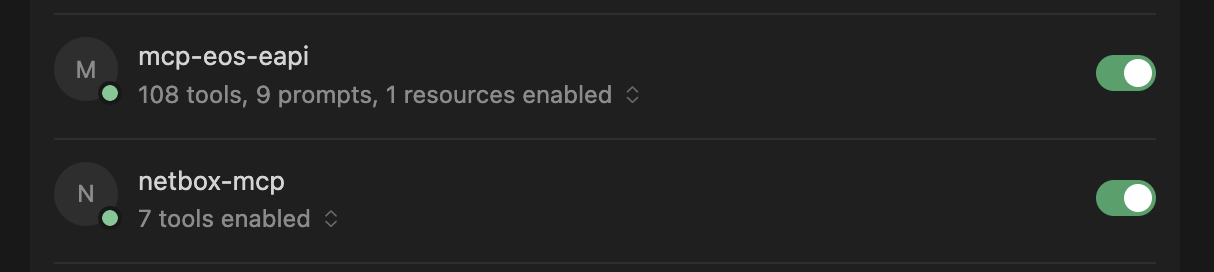
A note on settings. It should be wise to use consider creating a “focused” AI for this project where you make use of your preferred IDE to set the context for what this project is all about. This makes the agent more focused and your “network specialist” instead of it suddenly wandering off dreaming of Ducatis and BMWs. “Hey, you are a pure network specialist, that’s your whole goal in life. There is nothing more interesting than network - in the world.”
Getting AI to do the thing #
With my MCP and IDE preparations done it is time to task the AI with what’s needed to make my network shine.
Before getting into the tasks themselves. I short explanation of my demo environment for context.
I will be using Containerlab to deploy my Arista cEOS instances, very easy and powerful. I can deploy the exact topology I want.
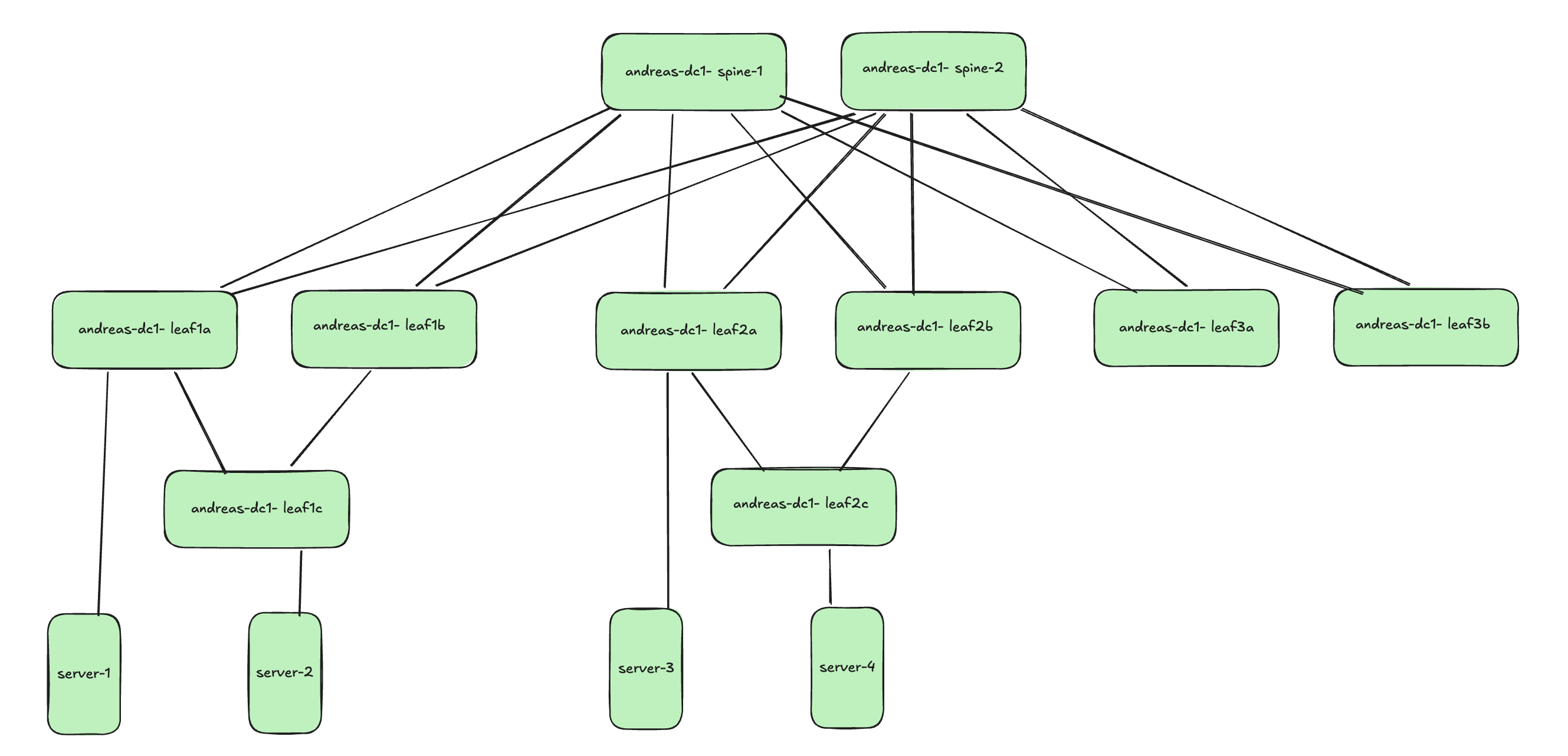
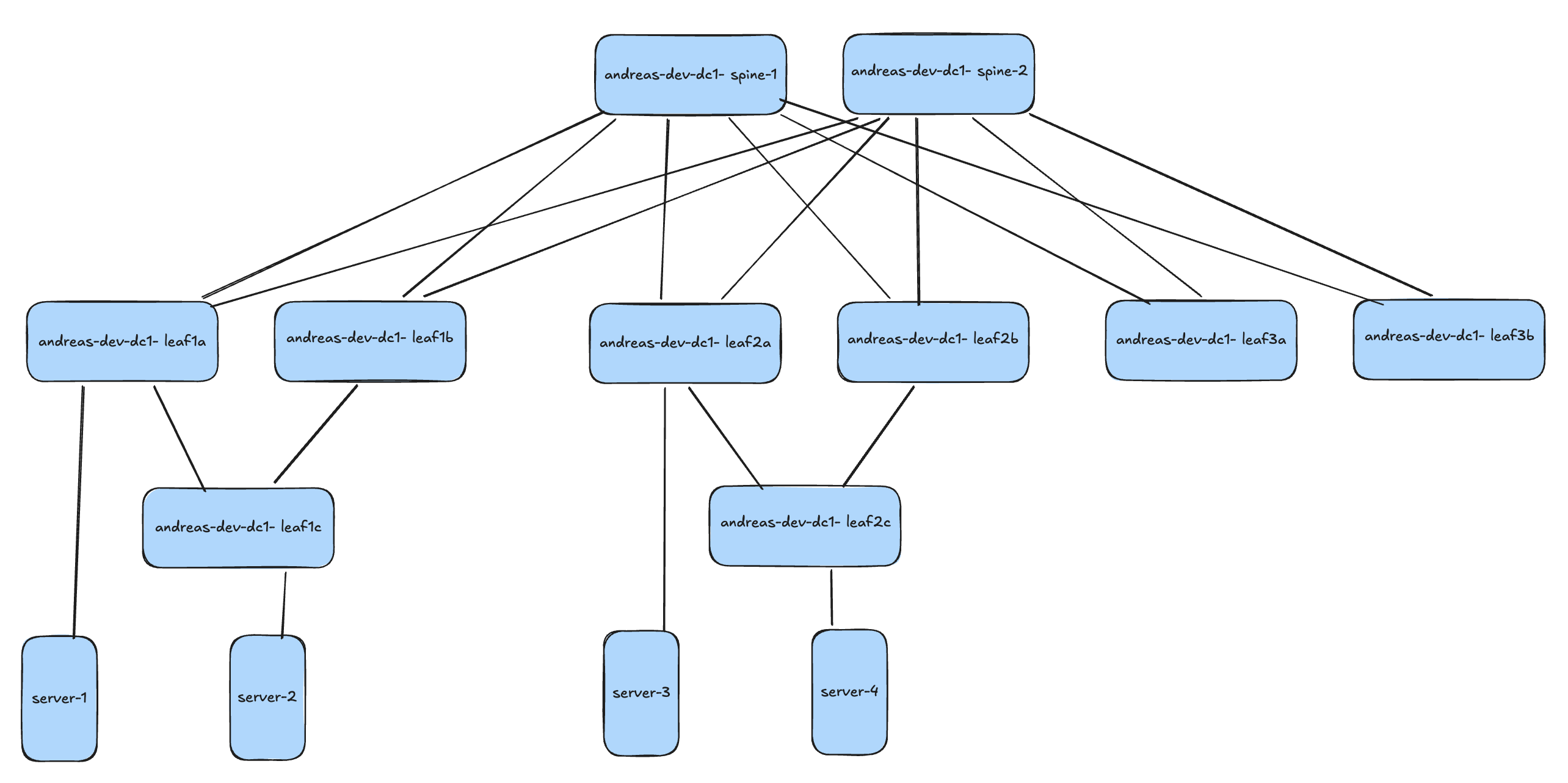
I have two “fabrics” deployed. One I call Dev and one I call Prod. These are more or less identical except hostnames, management IPs and MGMT VRF routes.
Production:
Development:
All containers are running Arista cEOS version 4.35.1F
A note on preparations #
As mentioned earlier, I am using Containerlab to deploy my lab environment. I spin up my containers with a very basic configuration:
!
hostname andreas-dc1-leaf1a
ip name-server vrf MGMT 10.100.1.7
!
! Configures username and password for the ansible user
username ansible privilege 15 role network-admin secret sha512 $6ZgDhBs$Ouqb8DdTnQ3efciJMM71Z7iSnkHwGv.CoaWbJE/D47ixMEEoccCXHT/
!
! Defines the VRF for MGMT
vrf instance MGMT
!
interface Management0
   description oob_management
   no shutdown
   vrf MGMT
   ! IP address - must be set uniquely per device
   ip address 172.18.100.113/24
!
! Static default route for VRF MGMT
ip route vrf MGMT 0.0.0.0/0 172.18.100.2
!
! Enables API access in VRF MGMT
management api http-commands
   protocol https
   no shutdown
   !
   vrf MGMT
      no shutdown
!
end
!
! Save configuration to flash
copy running-config startup-config
With this configuration in place, I can reach the EOS eAPI and SSH and start do some more useful configuration. From here I have two choices on how to continue. Use AI to build out the fabric from here on and out, or kickstart the heavy lifting by using AVD to push a production ready configuration based on the examples readily available on AVD. The benefit of using AVD to do the initial configuration you know it is based on Arista’s best practices and ready to deliver a scalable and flawless network. I will do both approaches. Just because I am curious how well the AI can build out my fabric from scratch without to much input from my side. So let’s see how that goes
Let AI build out my fabric from minimum configuration #
I have 20 cEOS instances running with the minimum configuration above and I want AI to build out my two spine-leaf fabrics, one dev and one prod.
In my project folder I have some of my helper scripts already in place, but there are no configs there. It is an empty project folder in regards of how the switches have been configured. The scripts in the folder are actually created by AI after a couple of prompts where it figured out itself it was more clever to create some scripts for certain tasks to be more efficient. It uses the MCP server and python scripts interchangeably depending on the task at hand.
./
├── __pycache__/
├── actual-configs/
├── build_fabric_configs.py
├── build_from_templates.py
├── build_ucn_dev_config.py
├── eapi.conf
├── export-env
├── intended/
├── README.md
├── requirements.txt
├── run_export_cfgs.py
├── spine_leaf_design.py
├── sync_actual_configs.py
├── sync_configs_rest.py
├── sync_configs.py
└── venv-eapi-mcp/
Other than that, the folder is empty when it comes to any device configuration. I will start by asking it to sync the current config to my project folders so I can start tracking changes. These will be written to the folder:
I have also some rules in place to configure this project to be very “focused”.
My first prompt: “Sync running configuration from all devices to their respective folder according to the guidelines, the actual-configs folder and create the necessary subfolders production and development”
Syncing running config task:
The resulting files:
Then I will ask it to build out my full config files for both fabrics:
“Create the configuration files for all devices, bearing in mind that there are one production fabric and one development fabric. Hostnames, management ip and “gateway” must be preserved. Where the goal is to create a perfect EOS config, following Arista’s best practices and design principles for datacenter spine leaf. Underlay and overlay must use ebgp Single peer to peer links between spine and leaf. There are two layer2 leafs, leaf1c and leaf2c they are multi-homed to leaf pairs leaf1a and leaf1b and leaf2a and leaf2b respectively. I will provide a high level diagram for how the fabric looks like.”.
It took approximately 10 minutes (09:59) of thinking and discussions with itself to generate the full configs: Part 1:
…some minutes more later…
The result:
It did a good effort, but I am not sure if I would have sent this configuration to my production environment. I could probably be much more detailed in my prompt, but the whole point was to see how far it could come with as little as possible. I think it did an ok job actually, based on the very little input it got.
What if I hand it three configs made by AVD and have it compare and rectify all configuration based on these three?
“I have deleted all the configuration files you just created, and provided 3 configuration files for andreas-dc1-leaf1a, andreas-dc1-leaf1c and andreas-dc1-spine1 in the folder intended/configs/production, read them and create all necessary configuration files for all devices based on these three files. These three configuration files should be considered as templates”
It managed to actually generate identical configs, even taking into consideration the fact the peer links unique IP addresses, description named correctly, hostnames, even BGP AS numbers per leaf pair and spines.
It did create some new scripts, I would like to have them documented, including the ones that were already there. So I need to ask it to update/generate a documentation of how these work and is supposed to be used. After a couple of seconds it creates a well formated README.md with clear instructions on how these scripts and folders work.
A note on the configuration files themselves. So far they have only been generated, but not pushed to the devices themselves. I will do that later, with the help of AI.
To save time on correcting the configs, and be sure I got a solid start, I will deploy my initial configuration using AVD so in my next prompts I can focus on operation, management, testing validaton etc.
Using AI to manage my network - after AVD has provided the initial configuration #
Even though it was an interesting exercise asking AI to build out my network configurations from bare bare minium, and I could of course be much more specific in my prompt, I find it better to have a solid network configuration from the beginning and then let AI handle my requests from there. In this chapter the full initial configurations has been provided by AVD, to production only, not deployed yet. Dev and Prod are still running minimal config.
I am using the “Single Data Center - L3LS” example from AVD.
Now it is time to ask AI to deploy the configuration to the actual devices.
Now both prod and dev has a full configuration forming the spine-leaf in their own fabric.
Update the README.md for any added or modified scripts used in this task.
After just a couple of prompts it struck me very soon that not only did it understand my prompts more or less right from the start, it understood what kind of fabric I had deployed and how to interact with it but also that it was clever enough to create python scripts (as mentioned earlier) for certain tasks to be more efficient and making change control tracking better. So the project folder I have created will be filled with some interesting scripts and configuration files. That is something I will showcase a bit further down. I do have two environments, one for dev and one for prod. Just once did I need to tell it that the devices not having dev in their name are my production environment, the others were my dev environment. From now on I could just refer to prod/production or dev/development.
It even tries to visualize the topology for me based on the information it finds.
                    [spine1]  [spine2]
                        |  \  /  |
            Et1/Et2     |   \/   |     Et1/Et2
         +--------------+   /\   +--------------+
         |              |  /  \  |              |
      [leaf1a]=====[leaf1b]  [leaf2a]=====[leaf2b]  [leaf3a]=====[leaf3b]
         |              |        |              |
         +-- Et6        |        |              |
            [leaf1c]    |        [leaf2c]       |
                        |
                  MLAG peer link (Et3/Et4 / Po3)
I noticed one thing, it said that the l2leafs were single homed.. Well, that is not correct is it? They do have a LACP channel configurations to their respective l3leaf pair. Something to investigate.
Leaf1c configuration
interface Port-Channel1
   description L2_DC1_L3_LEAF1_Port-Channel6
   switchport trunk allowed vlan 11-12,21-22,55-56,60,352,3401-3402
   switchport mode trunk
!
interface Ethernet1
   description L2_andreas-dc1-leaf1a_Ethernet6
   channel-group 1 mode active
!
interface Ethernet2
   description L2_andreas-dc1-leaf1b_Ethernet6
   channel-group 1 mode active
Let’s ask it about this:
“The user is correcting me” HAHA 😆
Phew.. It was dual-homed after all :-)
But is the portchannel working?
Well, as it turns out yes… 😄
I can ask it about anything -
Show me BGP status in prod:
A note on the not established peer. My AVD contains BGP configuration to a vZTX peer I am using my lab. This ZTX appliance is powered off. So that is a correct and important observation.
Create VLAN 70 in dev, then deploy live, test it and verify on all relevant switches:
Now that I have created vlan 70, pushed it to my dev devices and gotten it tested and validated. Let’s just ask it to sync the changes to prod and deploy to live production devices.
It did indicate that it had issues testing ping in a specific VRF. Let me try that again.
This turned out to be a limitation in my colleagues MCP server, when I switched to my own MCP server it could figure it out.
There are so many possibilities. But instead of making this post too boring I will just finish this section with a one more prompt using only the MCP:
Netbox #
It is always interesting to include Netbox in my automation projects. It is a very popular tool in the networking world.
In my earlier automation demos and projects I have relied a lot on python scripts, some of them made by AI, but some manual. Now with my Netbox MCP server up and running I just want to ask AI to all the stuff I want.
Add my switches to Netbox #
I have an empty Netbox server, I need my switches to be added there. Can you add my switches to Netbox?
Empty Netbox:
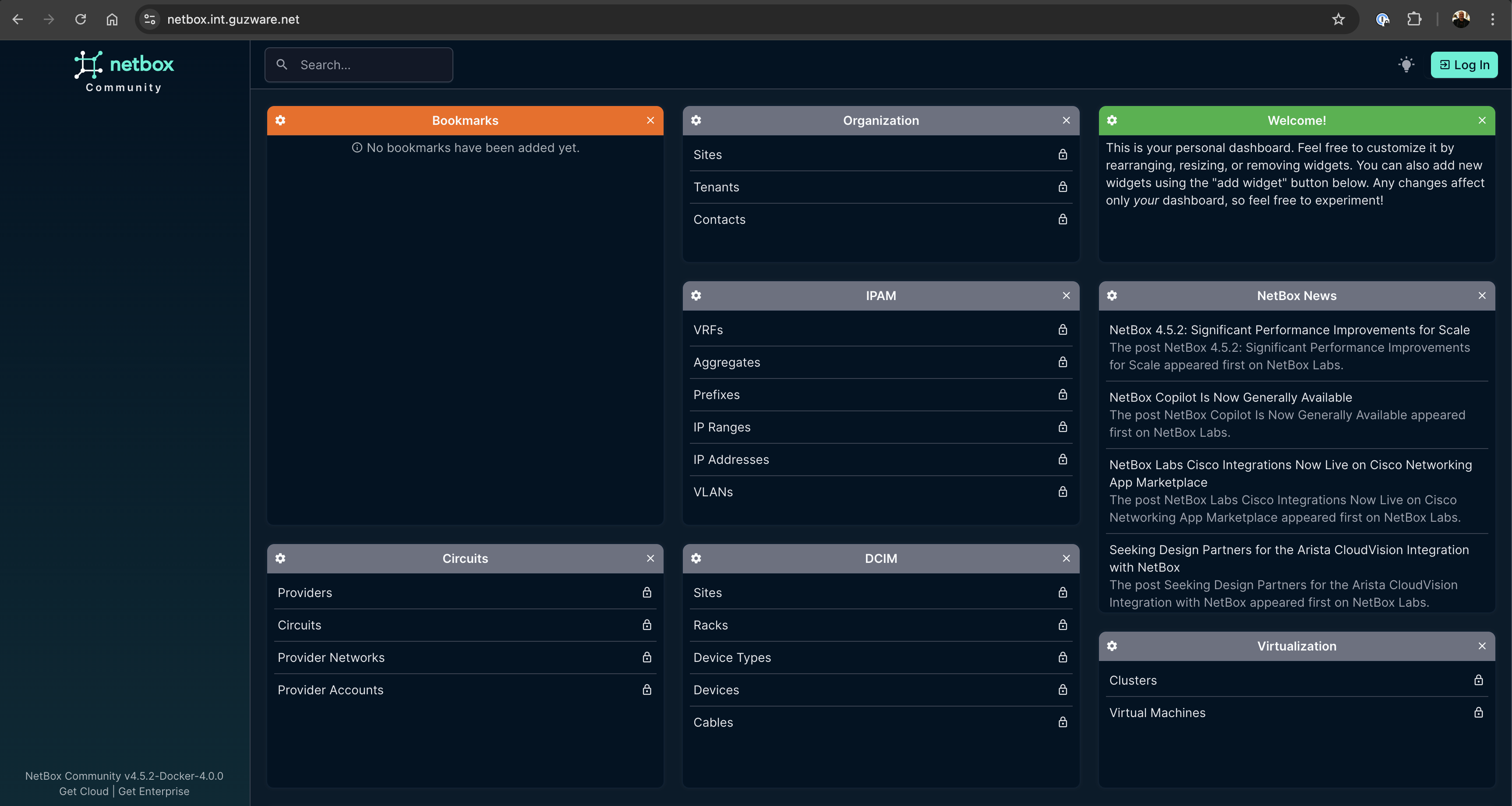
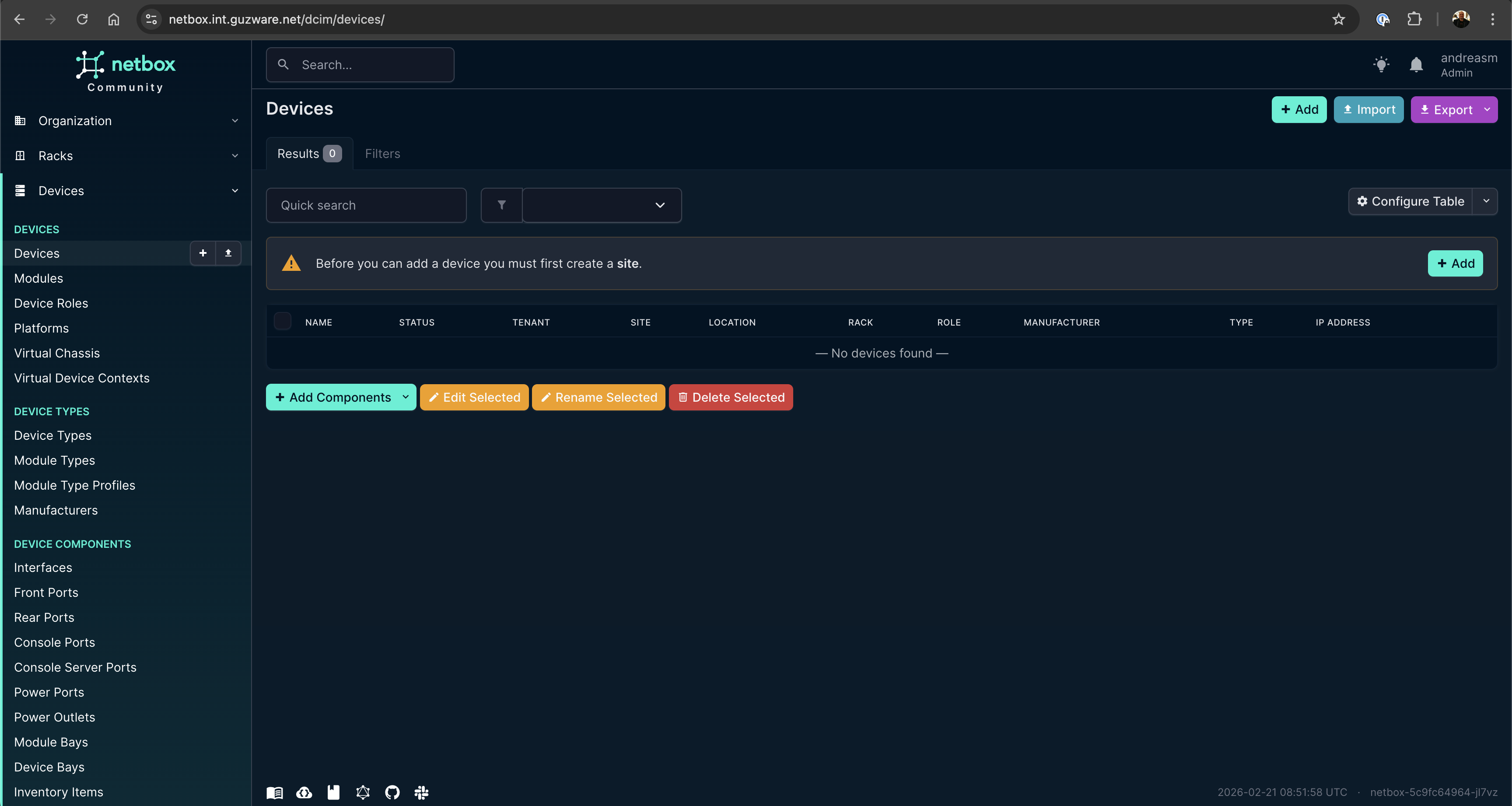
Some “lost in translation” issues, and I needed to ask it one more time:
Then I wanted to add the management IP of all devices as OOB:
After a couple of prompts later I have added what I want in Netbox at this round:
Now it is also important to update this information every time I do a change in both Dev and Prod to keep Netbox in sync with what’s the running config.
Making changes - Validation and testing #
I need to get this blog post a bit back on track by evaluating whether I can use AI to actually manage and automate my network operations. I am using an online agent for this post, in a real production environment I may have an offline agent dedicated to this task. To make them as effective as possible and preventing AI to re-invent the “wheel” every time rules and workflows should be defined in the project so it always knows what is expected of it when it performs certain tasks, like adding a new configuration. So let’s explore how I can do that with my AI, keeping it on “a leash” at all times.
Workflows, rules and git operations #
Every time I ask it to perform a change these are the steps it MUST always do:
- Create a branch with a logical name
- Apply the changes to DEV, in the intended/configs/dev folder.
- Validate the applied changes in the above folder
- Push the config to DEV, validate and test all relevant changes, and any potential impact of this change
- Sync all changes to the respective configs/ folder
- Create a report, in the report folder. Must be created if not exist
- Commit and push changes in same branch, let me (the human) validate reports and changes before any merge is done.
When, or if, the changes are approved I will merge them. And the next task at hand is getting it deployed to the production environment.
Then it MUST always do this:
- Create a branch with a logical name
- Apply the changes to prod, in the intended/configs/production folder.
- Validate the applied changes in the above folder
- Push the config to prod, validate and test all relevant changes, and any potential impact of this change
- Sync all changes to the respective configs/ folder
- Create a report with a logical name, in the report folder. Must be created if not exist
- Push changes in same branch, merge and delete branch both local and remote
Let’s test out some configuration changes and see if my workflows work.
I have configured the following rules in my .cursor/rules folder:
dev-workflow:
---
description: Triggers when asked to perform a network change, modify a switch, vlan, interface, leaf, spine, or any change in the DEV environment (intended/configs/dev). Always follow this development workflow.
globs: *
alwaysApply: false
---

# Development Workflow (DEV)

When asked to perform a change or work on a feature, you MUST always follow these DEV phases precisely. You act as an AI Developer completing these steps step-by-step.

1. **Create Branch:** Create a new git branch with a logical, descriptive name for the change (e.g., `feat/vlan-10-dev`).
2. **Apply Configs (DEV):** Apply the changes to the DEV environment, specifically writing the new configuration only to `intended/configs/dev/`.
3. **Internal Validation:** Read the files in `intended/configs/dev/` to ensure syntax is correct before deploying.
4. **Push and Test:**
   - Source the environment variables first: `source export-env`
   - Use `source venv-eapi-mcp/bin/activate && python3 deploy_dev_eapi.py` to push the config to Live Dev.
   - Validate the change using `arista-mcp` (e.g., check `show ip interface brief`), and assess any potential impact.
5. **Sync Configs:** Ensure `source export-env` was run, then run `python3 sync_configs_rest.py` to sync all changes to the respective `configs/` folder and Netbox.
6. **Create Report:** Create a report using the `report-template.mdc` format in the `reports/` folder. Create the `reports/` folder if it does not exist. Document the change, test results, and impact.
7. **Commit and Push:** Run `git add .` and `git commit -m "Dev implementation and validation report"`. Push the changes in the same branch.
8. **Pause for Human Validation:** Stop execution and wait. Notify the user: "Dev changes are complete. Please review the report in /reports/ before merging." Do not proceed until the human approves and merges the changes.

*If the DEV changes are approved and merged, the next task is getting it deployed to the production environment, which is handled by the Production Workflow (`prod-workflow.mdc`).*
prod-workflow:
---
description: Triggers when asked to deploy to production, perform a PROD network change, modify a switch, vlan, interface, leaf, spine, or modify intended/configs/production. Always follow this production deployment workflow.
globs: *
alwaysApply: false
---

# Production Workflow (PROD)

When asked to deploy changes to the production environment, you MUST always follow these PROD steps precisely. Trigger this ONLY after the Dev branch has been merged and Prod deployment is requested.

1. **Create Branch:** Create a new git branch with a logical name (e.g., `deploy/vlan-10-prod`).
2. **Apply Configs (PROD):** Copy validated logic from the Dev phase to the PROD environment, specifically in the `intended/configs/production/` folder.
3. **Internal Validation:** Verify the applied changes and production-specific variables (IPs, hostnames) within the `intended/configs/production/` folder.
4. **Push and Test:**
   - Source the environment variables first: `source export-env`
   - Use `source venv-eapi-mcp/bin/activate && python3 deploy_prod_eapi.py` to push the config to Live Prod.
   - Validate status and network health via `arista-mcp`.
5. **Sync Configs:** Ensure `source export-env` was run, then run `python3 sync_configs_rest.py` to sync production state back to the repo's `configs/` folder and Netbox.
6. **Create Report:** Create a report detailing the successful production push in the `reports/` folder using the defined template `report-template.mdc`. Create the folder if missing.
7. **Commit and Push:** Commit and push the changes in the same branch. Do not delete the branch; the human will manually review, merge, and clean up the branch.
and report-template:
---
description: Template to use when generating reports for changes in DEV and PROD environments.
globs: reports/*.md
alwaysApply: false
---

# Change Report Template

When asked to create a report, use the following format:

## 1. Overview
* **Date:** [YYYY-MM-DD]
* **Branch Name:** [Branch Name]
* **Environment:** [DEV / PROD]
* **Target Folder:** `intended/configs/[dev|production]`
* **Summary of Change:** [Brief description of what was changed and why]

## 2. Changes Applied
* **Target Devices:** [List of devices modified]
* **Files Modified:**
  - [File 1]
  - [File 2]
* **Description of Modifications:**
  - [Detailed breakdown of the configuration changes made]

## 3. Validation and Testing (arista-mcp)
* **Local Validation Status:** [e.g., Passed / Failed] - Syntax check of intended config.
* **Testing Commands Performed (via arista-mcp):**
  1. [e.g., `show ip interface brief` on spine1]
  2. [e.g., `show vlan 10` on leaf1]
* **Test Results / Output:**
  - [Summary of test results and any output generated]

## 4. Impact Assessment
* **Potential Impact:** [Describe what traffic, routing, or services might be affected by this change]
* **Mitigation / Rollback Plan:** [What steps should be taken if the change causes network issues?]

## 5. Post-Deployment Sync
* **Changes synced to `configs/` folder?** [Yes / No]
* **State synced to Netbox (`sync_configs_rest.py`)?** [Yes / No]

## 6. Next Steps / Human Action Required
* Please review the changes in the respective folders and this report.
* Await manual validation and merge approval before proceeding.
Notice the alwaysApply: false If you want these rules to ALWAYS be considered put it to always, otherwise be smart in what you put in the description: so it triggers based on the tasks it is doing.
Now let’s see it in action.
I have tasked it to change the description of my Ethernet 7 interface on leaf1a in Dev:
And after I have approved the change in git and did a PR I can tell it to continue to prod:
One more change, creating a VLAN with corresponding SVI:
Dev:
Prod:
Documentation #
I no longer need to keep track of updating the documentation, it is auto created for me. All changes are being tracked, and every change triggers a test/implementation report. The report itself can be as detailed as you want, and include as many tests as you want.
Outro #
I began this post by asking whether I could use AI to provision, manage and configure my network. Well, obviously it is able to do so. But is it an efficient way of doing it? It depends. I have only been using an online agent, not using a model specifically trained to do this, and the speed has not always been impressive. I still need to glance over the proposed configurations changes it creates, which means my understanding of BGP, VXLAN is a needed skill. Yes, it did configure multiple files at the same time, but it also did this when I asked for the same or similar task in succession and yet it needed to do much of the same preparations I had already done a couple of minutes earlier. I also noticed that even the exact same task, within the same project, just in an new chat context it started solving tasks differently and came to different conclusions. When I first added my devices to Netbox (not in this post) it more or less added all my 20 devices flawlessly, placing them in the right environment, added management interface, labeled the roles for each device correctly. In my second attempt after deleting my first Netbox instance to try it again (in this post) it started to do mistakes. It is absolutely possible to focus and narrow the agent much more than I have done in this post, defining much better workflows and rules and so on, but that is also something one needs to invest time in figuring out. Is this necessary when we have project like Arista AVD that is designed to give you the exact outcome every time, and no risk of deviating into other ways of solving it. Maybe I would use the agent to interact with my AVD repo instead?
It has been a very interesting experience indeed. There is no doubt the AI agents have come far, and are very capable. By having a read-only MCP to my EOS eAPI I can query for almost everything using human language and it will reply back with so much information, which has been so far in my testing spot on and valuable information. There is much more that can be done, it is just the imagination that stops us.